Simple Steps Recorder: Automated browser-based step documentation
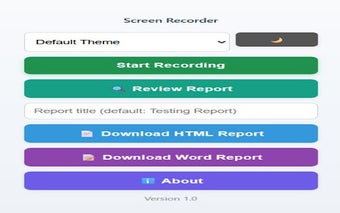
Simple Steps Recorder from Pradeep Mondal is a Chrome extension that automates creation of step-by-step website documentation for QA, support, and training workflows. The app records clicks, dropdown changes, and Enter key presses while capturing screenshots and descriptive text to build a sequential guide without manual grabs. It includes a review interface for reordering or deleting steps and exports to HTML or editable Word documents. This setup suits testers, trainers, and documentation specialists who need rapid, browser-focused evidence.
Built for testers and trainers who need precise step documentation
The app targets QA testers, support staff, and corporate trainers who must produce reproducible web workflow guides. It monitors user interactions in real time and assembles those inputs into a sequence, removing the need for manual screen grabbing and hand-written steps. That positioning makes it useful when the primary task is documenting web-based tasks or collecting test evidence tied to specific pages and actions.
Records interactions automatically while letting you review and edit the sequence
Automatic monitoring is paired with step-management tools. The recorder captures clicks, dropdown changes, and Enter key presses and takes an instant screenshot for each step. During the review phase you can reorder, delete, or drag-and-drop steps to refine the narrative before export. The combination of capture plus an edit stage turns interrupted recordings into orderly, shareable guides without rebuilding screenshots one by one.
Keeps captured data on the local device to limit external exposure
Privacy design is explicit: all data stays local. The extension stores screenshots and recorded steps in the browser's local storage and does not transmit files to external servers. It requests permissions for storage, downloads, and active tab access so it can save steps and include page titles and URLs in reports. This model suits workflows that must keep sensitive screenshots off third-party systems.
Fits Chromium workflows and produces editable, shareable outputs
The tool runs in Chrome and other Chromium-based browsers and exports to common formats. It supports export to HTML and Microsoft Word (.docx), which provides editable reports for reviewers who prefer document-based handoffs. The extension uses the downloads permission to write those files locally. For teams that still exchange file-based evidence, the app replaces a chain of manual screenshots with a single, exportable guide.
A practical, browser-contained documentation aid best for local workflows
Simple Steps Recorder is a practical choice for individual testers, support agents, and trainers who need fast, browser-based workflow records and editable reports. Its design favors local control and file exports rather than built-in cloud collaboration, so teams that depend on automatic, server-side sharing should consider that trade-off before adopting it as a central, team-wide tool.